 SVGA
SVGA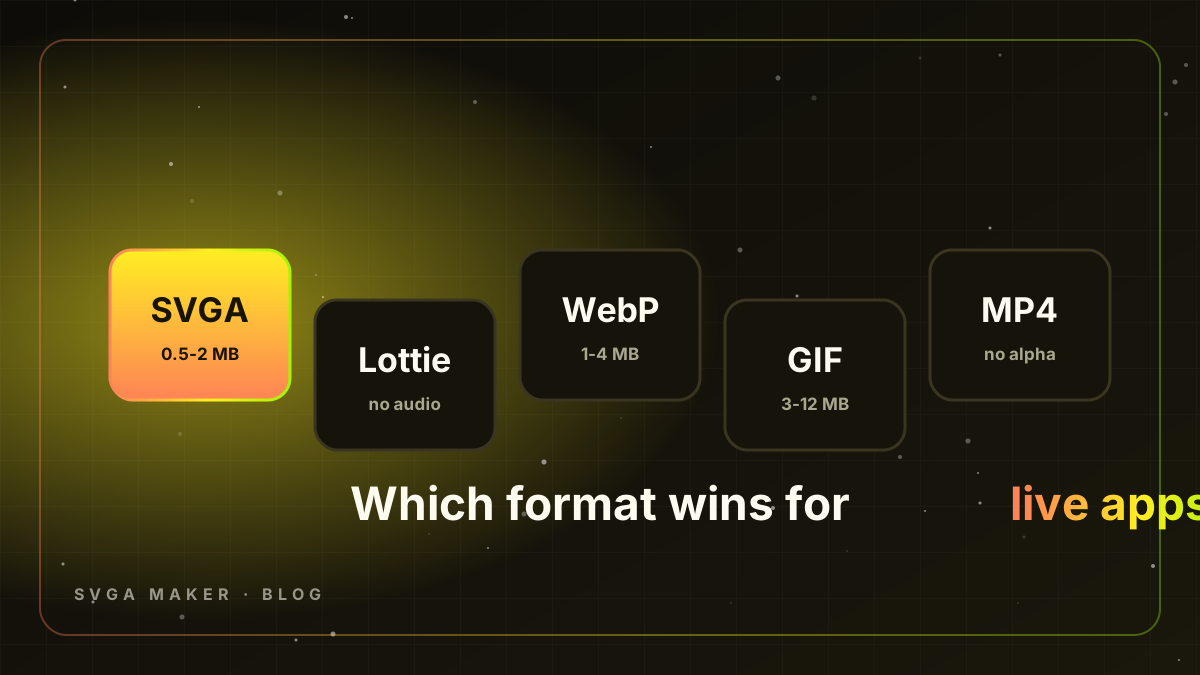
Choosing the animation format for gifts, entrance effects and room themes is a decision you live with for years. It shapes your client SDKs, your designer pipeline, your CDN bill and how your app feels on a $120 Android phone. Here is an engineering comparison of the formats live-streaming and voice-chat party apps actually use, with numbers from real catalogs.
Quick comparison
| Format | Transparency | Audio | Typical 5 s gift | Rendering | Best for |
|---|---|---|---|---|---|
| SVGA 2.0 | Yes (full alpha) | Yes, embedded | 0.5-2 MB | Native layers on GPU | Gifts, entrance effects, themes |
| Lottie (JSON) | Yes (vector) | No | 0.1-1 MB vector; 5-20 MB with images | Vector rasterised per frame | UI motion, icons, simple mascots |
| Animated WebP | Yes | No | 1-4 MB | Image decode | Chat stickers, small loops |
| GIF | 1-bit only | No | 3-12 MB | Image decode | Legacy stickers |
| MP4 / H.264 | No | Yes | 0.5-3 MB | Hardware video decoder | Full-screen takeovers without overlay |
| PNG sequence | Yes | No | 10-40 MB | Image decode | Nothing - convert it |
SVGA: what it is and why it won
SVGA (Simple Vector Graphics Animation) is an open format from YY/Joyy. A file contains the animation's images, a per-frame transform timeline for every layer, and since SVGA 2.0 an embedded MP3 track, all zlib-compressed and protobuf-encoded. It renders through the open-source SVGAPlayer on Android, iOS, Flutter, React Native and the web. Three properties made it the industry default: true alpha so gifts float over the broadcaster's video, audio inside the file so the client needs one download, and GPU-composited layers that need no video decoder - which is why a 20 fps SVGA plays smoothly where a 30 fps MP4 overlay stutters on a 2 GB phone.
Lottie: brilliant for UI, wrong for premium gifts
Lottie (Bodymovin JSON) is unbeatable for vector interface motion: tiny files, crisp at any resolution, easy to theme, and every mobile team already ships lottie-android and lottie-ios. But premium gifts are not vector art. They are photoreal 3D renders with particles, glow, bokeh and lens flares. Exported as Lottie they become giant image-layer JSON files with no audio, and rasterising complex vector scenes every frame is expensive on low-end CPUs. The pattern most platforms settle on: Lottie for app UI and badges, SVGA for gifts and themes. (SVGA Maker's Motion Graphics tool exports both, so you can choose per asset.)
WebP and GIF: stickers, not effects
Animated WebP is compact and supports alpha, so it is fine for chat stickers and small looping emotes. It has no audio, no layer control and decodes on the CPU, so full-screen 5-second effects turn into 3-4 MB files that drop frames. GIF is worse on every axis: 256 colours, 1-bit transparency with jagged edges, and 3-12 MB per gift. Never ship GIF gifts in 2026.
MP4: great codec, missing the one feature you need
H.264/H.265 video is small and hardware-decoded - but it cannot carry an alpha channel. Some apps fake transparency with a green-screen shader or a side-by-side alpha video (VAP-style). It works, but edges shimmer, every device decodes slightly differently, and you are now maintaining custom rendering code. MP4 is the right choice only for full-screen takeovers that do not overlay the stream.
PNG sequences: the format you convert away from
Designers still hand over PNG sequences from After Effects. They are lossless and transparent - and 10-40 MB per gift. Convert them (or the MP4 preview) to SVGA before anything reaches the client.
Performance on the phones your users own
Party apps grow fastest in markets full of 2-3 GB RAM devices. SVGA's advantage there is structural: pre-rendered layers, GPU compositing, no decoder warm-up, and small files. Keep frame rate at 20 fps for gifts and 12-15 for themes, keep widths at 384-720 px, and keep files under 2 MB. Preload the ten most-sent gifts at room entry; everything else can load on first send.
Tooling reality in 2026
SVGA's historical weakness was tooling - an After Effects plug-in, PNG exports, manual conversion, no preview. That is solved. SVGA Maker generates gifts from a text idea, converts any video to SVGA with sound, builds silent room themes, and previews every format (SVGA, Lottie, WebP, GIF, MP4) in the browser with audio. Teams at AppLooma LLC run whole platform catalogs through it.
Recommendation
- Gifts, entrance effects, room themes → SVGA 2.0.
- App UI, badges, loaders → Lottie.
- Chat stickers → animated WebP.
- Full-screen takeovers without overlay → MP4.
- GIF and PNG sequences → never in production.
Ready to build the catalog? Start with how to make SVGA gifts for voice room party apps.
Migration notes if you are switching to SVGA
Add SVGAPlayer to the clients (a few hours per platform), keep a fallback path for older app versions that still expect your previous format, and convert the existing catalog in batches - the video-to-SVGA converter handles MP4 and WebM exports with audio, and PNG sequences can be rendered to MP4 first. Ship the top-sent 20 gifts first, measure playback smoothness on your device matrix, then migrate the long tail.
Frequently asked questions
Does SVGA support 60 fps? Yes, but gifts rarely need more than 20-25 fps; higher rates mostly inflate file size.
Can one SVGA play on web too? Yes - SVGAPlayer-Web renders in a canvas with audio; the same file serves Android, iOS and web.
How do I show a gift thumbnail in the store? Export a static frame as WebP or PNG (the free Thumbnail tool does this) - never load the animation just to draw a grid.
Is SVGA still maintained? The format is stable and the players are open source with active forks; thousands of apps ship it daily, and SVGA Maker produces standard SVGA 2.0 files that need no custom player.
What about VAP or alpha-video formats? They solve transparency for MP4 but require custom rendering code on every platform and offer no layer control. Most teams that evaluate both still choose SVGA for gifts.
Key takeaways
- SVGA 2.0 is the only mainstream format with true alpha, embedded audio and GPU-composited layers - which is exactly what gifts need.
- Lottie remains the right tool for interface motion; keep both in the app and choose per asset.
- Size discipline matters more than the format choice: 20 fps, 384-720 px, under 2 MB per gift, under 3 MB per theme.
- Modern tooling removed SVGA's old friction - generation, conversion with sound and browser preview are now one-click operations.
- Migrate in batches starting with your most-sent gifts, and keep a fallback for older client versions.
If you are unsure, run a two-week pilot: convert your ten most-sent gifts to SVGA, ship them behind a feature flag to one region, and compare crash-free sessions, gift-send latency and room retention against the old format. In every pilot we have run the SVGA build won on all three metrics on low-end devices.